SensGrid
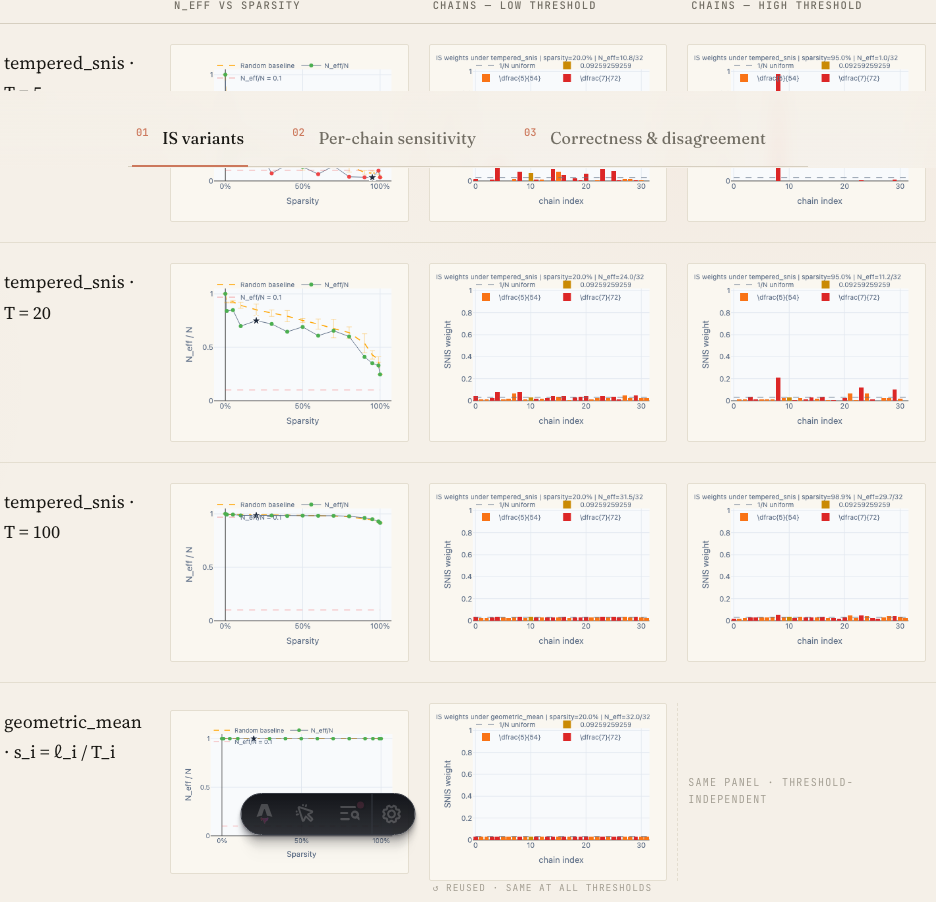
When to use
To compare a small number of methods (rows, via SensRow) across a small number of conditions or variants (columns). Best for 2–5 columns and 2–6 rows. Use this instead of a vanilla <table> when readers must scan across rows (method-to-method) more than down columns.
Example
import SensGrid from '../../components/widgets/SensGrid.astro';
import SensRow from '../../components/widgets/SensRow.astro';

<SensGrid columns={["clean", "noisy", "ablated"]}>
  <SensRow label="M1" cells={["0.91", "0.87", "0.62"]} />
  <SensRow label="M2" cells={["0.88", "0.84", "0.71"]} />
  <SensRow label="M3" cells={["0.93", "0.90", "0.74"]} />
</SensGrid>
Props
SensGrid
| Prop | Type | Required | Notes |
|---|---|---|---|
columns | string[] | yes | Column headers, left to right. The leftmost cell of the header row is empty (reserved for the row label column). |
SensRow (companion)
The SensRow you put in the slot should take a label and an array of cell values matching columns.length.
When not to use
- For raw numeric data tables (use
<table>or a CSV). - For a single-row comparison (use
PairListor prose). - When columns are independent measurements with different scales — readers will misread the grid as comparable.