RanksBlock
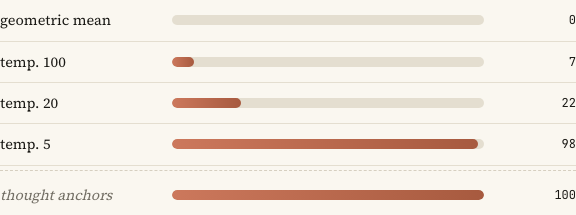
When to use
When comparing a few named items (e.g. ablation masks) on a single scalar metric, and the visual ordering matters. Each row renders a bar whose width encodes a fraction in [0, 1]. Sanity-check rows can be visually distinguished.
Example
import RanksBlock from '../../components/widgets/RanksBlock.astro';

<RanksBlock rows={[
  { mask: "full model", value: "0.93", fraction: 0.93, bold: true },
  { mask: "no layer 5", value: "0.71", fraction: 0.71 },
  { mask: "no layer 9", value: "0.42", fraction: 0.42 },
  { mask: "random ablate", value: "0.05", fraction: 0.05, sanity: true },
]} />
Props
| Prop | Type | Required | Notes |
|---|---|---|---|
rows | Row[] | yes | One bar per row. |
Row shape:
| Field | Type | Required | Notes |
|---|---|---|---|
mask | string | yes | Left-aligned row label. |
value | string | yes | Right-aligned printed value (any units). |
fraction | number | yes | Bar width as a fraction in [0, 1]. Clamped. |
bold | boolean | no | Renders the value cell bold (e.g. the “main” row). |
sanity | boolean | no | Adds a sanity class for downweighted styling. |
When not to use
- For categorical comparisons without a magnitude. Use
PairList. - For more than ~8 rows. Use a horizontal bar chart figure.
- For values that aren’t naturally on
[0, 1](clamping will mislead readers).